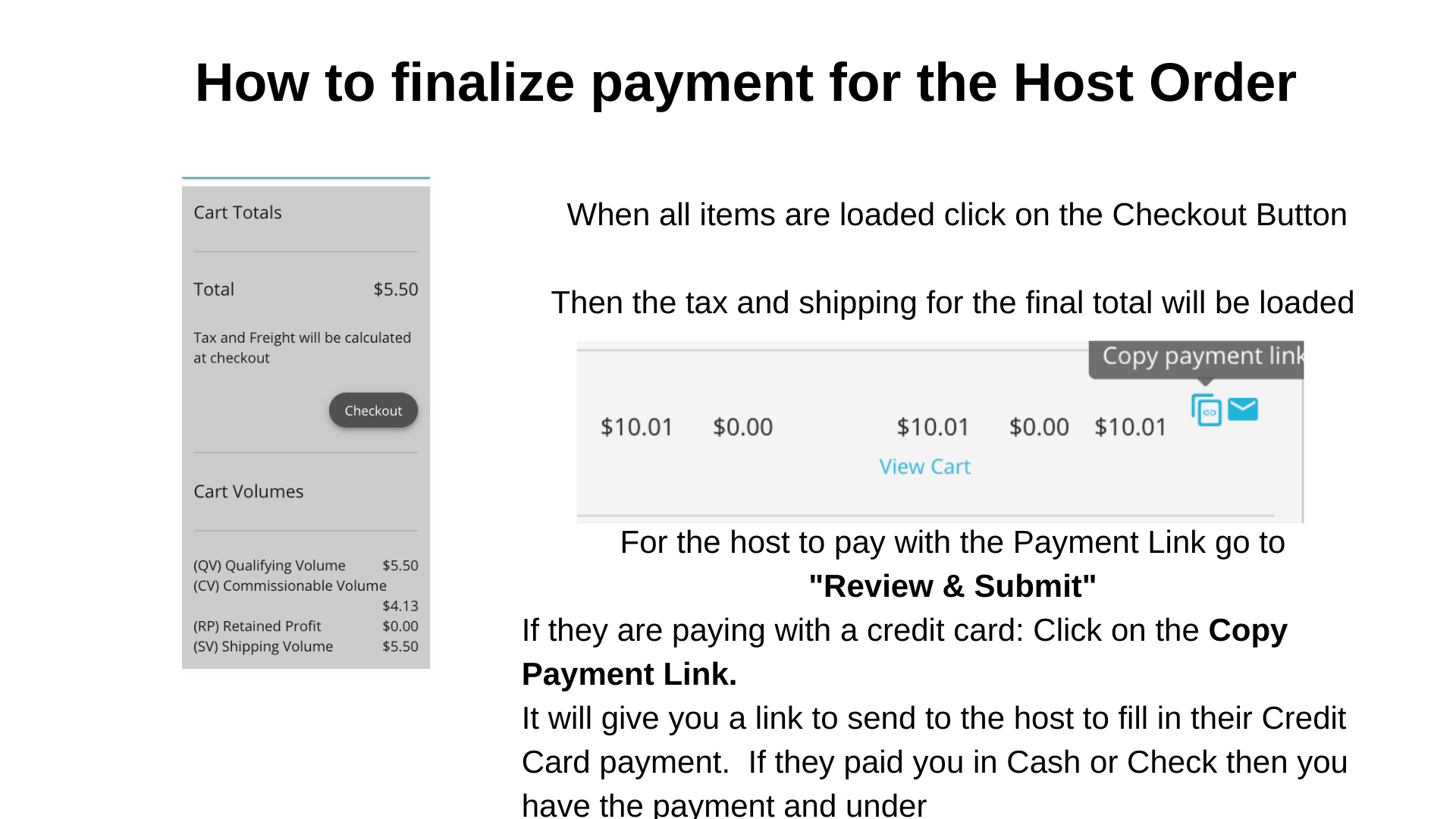
- Video #1: Explains how to create a Party in Jenkon and the Link to shop for people to use
- Video #2: Explains how to add in orders YOU collect and the Host order
How do you create a party and share a link to shop
- Login to Jenkon at http://myoffice.tupperware.com
- Click on Create a Party
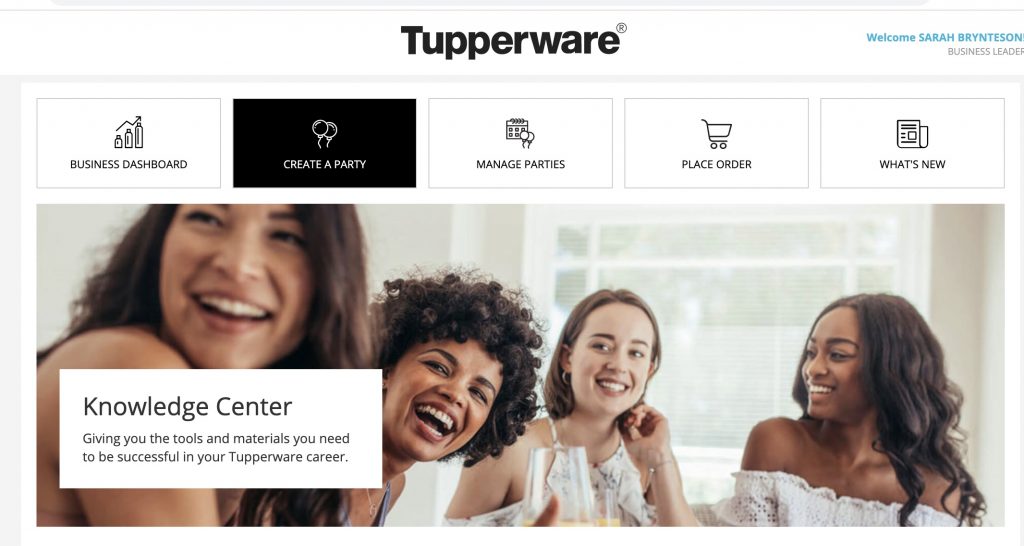
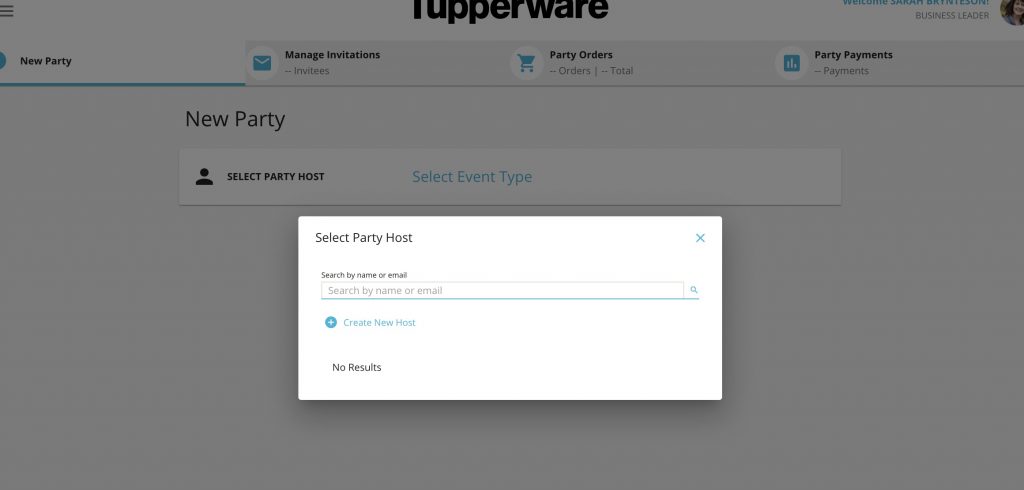
- Select the bold Select a Party Host and you can type in their name. If it is a past host it will pop up if not you will need to fill in info to create party. It will ask you do you want a Party or V-Tupp party what they mean is:
- Party = Facebook Party, Zoom Party, In Person Party…so on
- V-Tupp is Tupperware’s new system that is LIKE Zoom but people can order within it. As of the moment this is not fully operational When it is I will update this comment.
- For now...pick Party
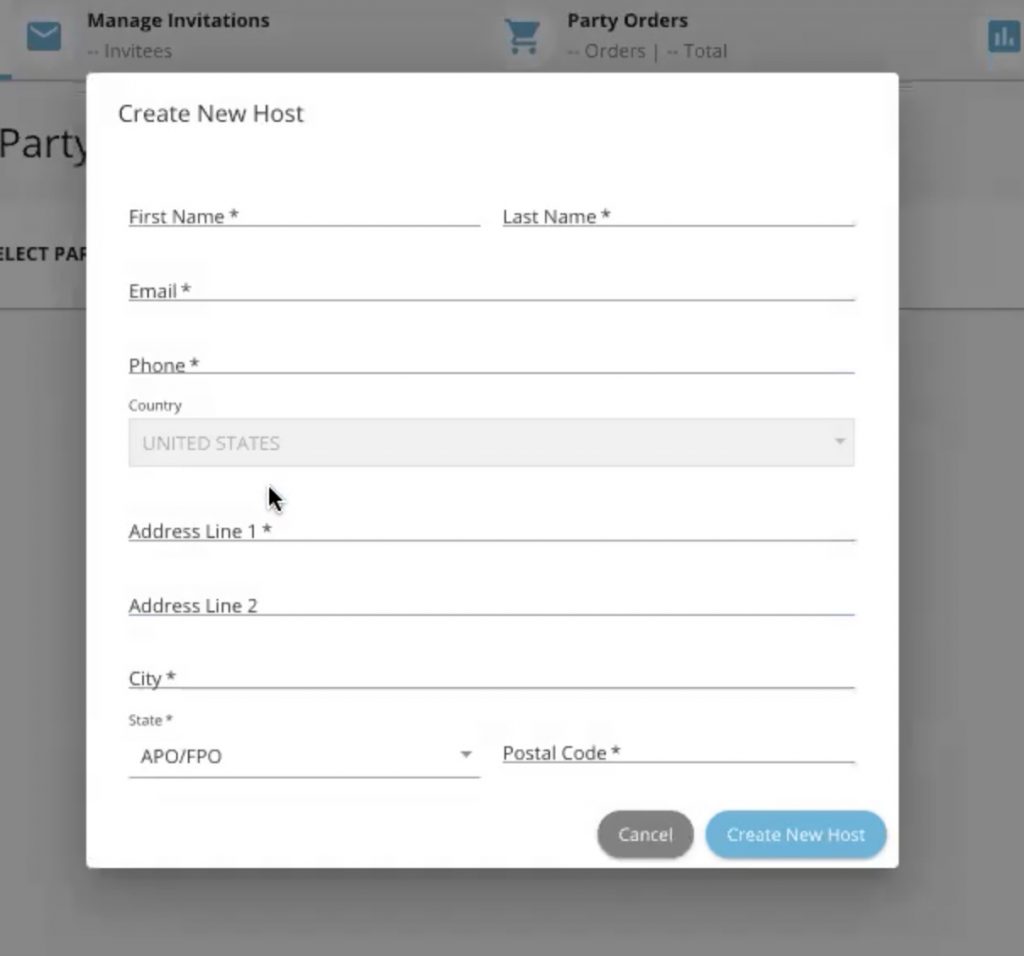
- Finish Setting up the party
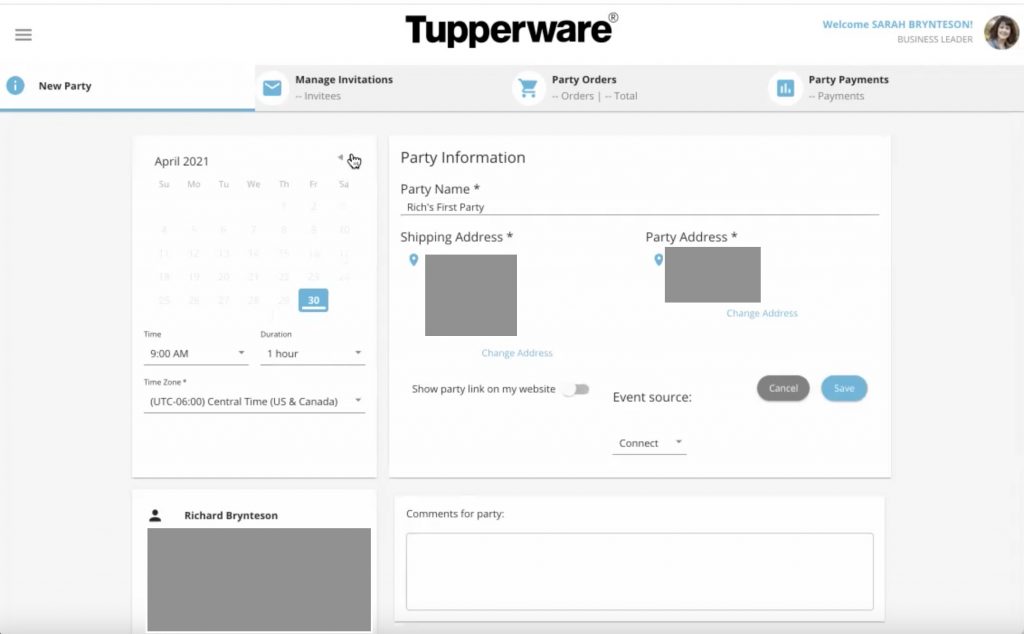
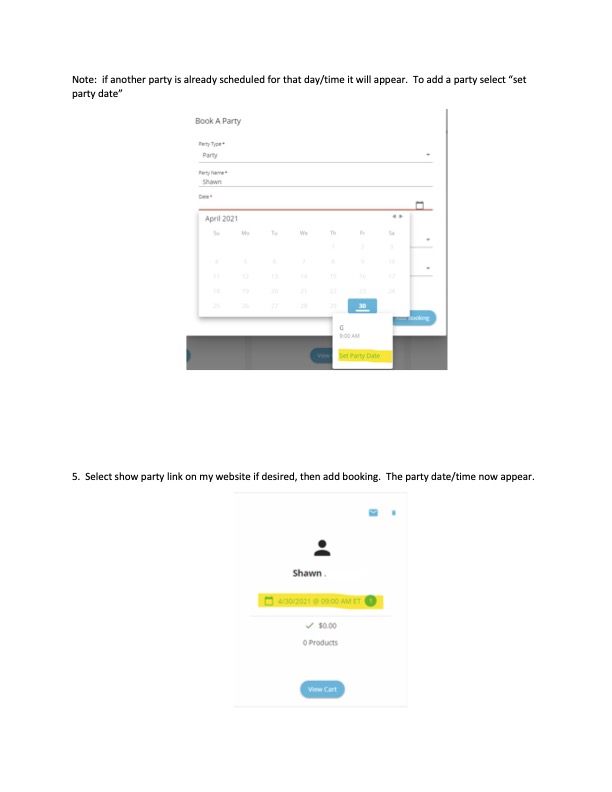
- Select the Party Date and Time.
- The Shipping Address and Party address should be the Host’s.
- You also need to name the Party.
- This name will be what shows up on your website if the “Show party link on my website is slid to the on position (it will go from grey to blue)
- Under Event Source you can choose to let them know where you found the person
- Under the calendar you see Richard Brynteson’s name. The grayed out box has his contact info that you entered on the previous slide.
- When all is done click Save. If Save does not work something is missing.
- After clicking Save go to Manage Guests
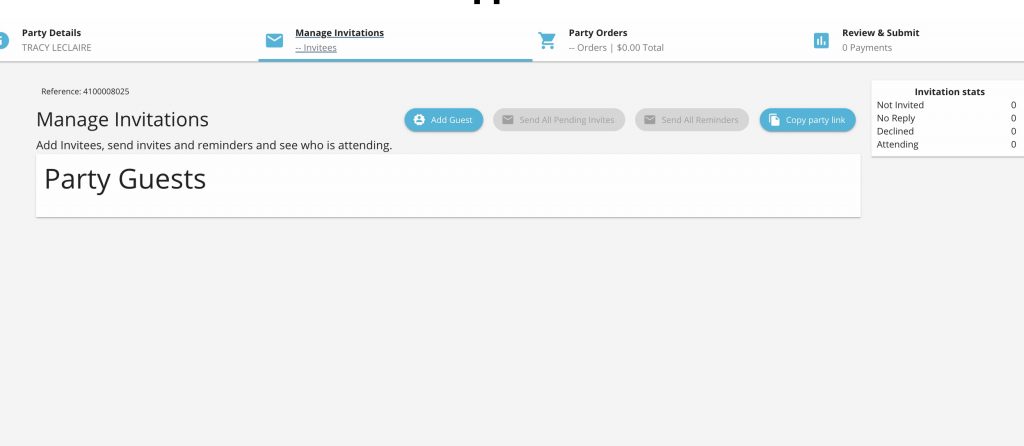
- You can Add Guests that the host provides you emails for. At this time the host cannot put in emails
- Once emails are in you can select a template to send to them and see who has RSVPed
- The blue Copy Party Link is the shopping link for the party. I copy that link and put it in my notes or calendar so it is easy to grab for my host. Anything that is shopped on that link will be a direct ship to the guest. There is no ship to the host option when using the Copy Party Link
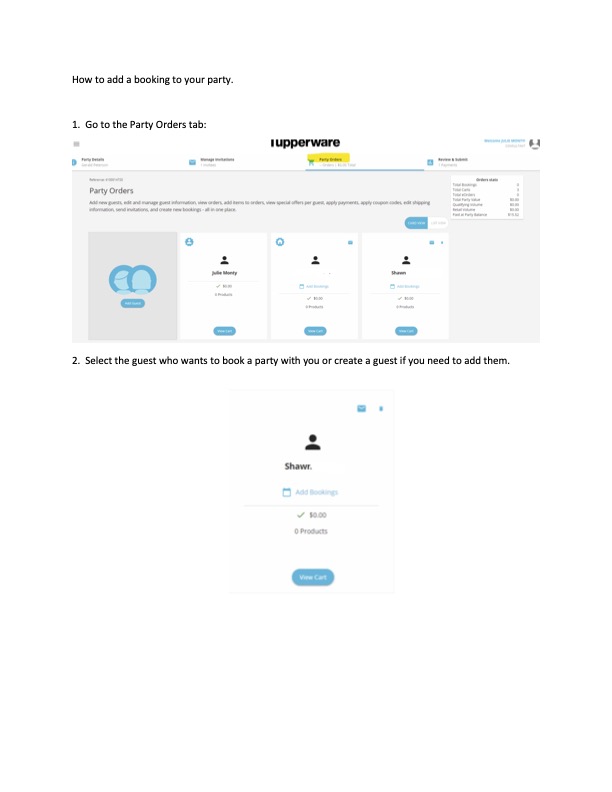
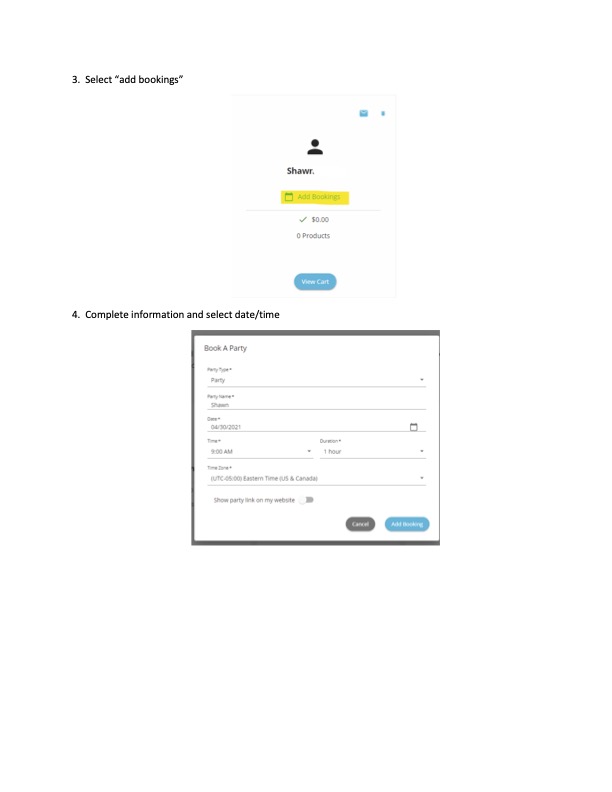
How to add a booking to your party
You are not through until you click the final Submit Button under the last tab! This is how you finalize with their payment